

If you’ve been searching for a way to buy crypto that doesn’t require navigating multiple platforms, transferring funds between exchanges, or worrying about custody risks — Tangem Wallet may be exactly what you’ve been looking for.
The global cryptocurrency market continues to expand rapidly, with millions of new users entering the space every year. Yet one of the most persistent challenges remains the same: how do you buy and store digital assets securely without exposing yourself to exchange hacks, platform failures, or the complexity of seed phrases?
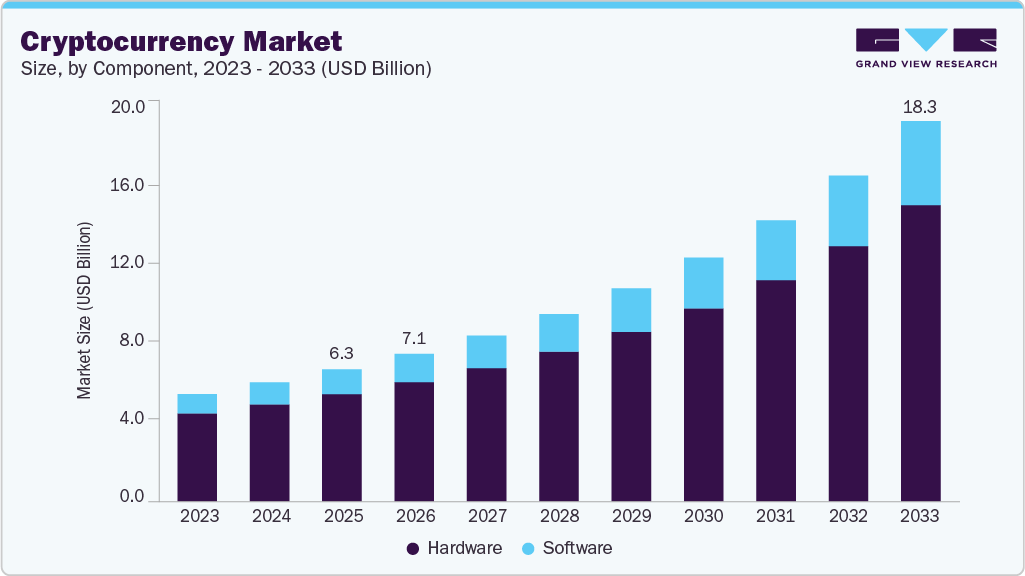 Image source : grandviewresearch
Tangem offers a refreshingly direct answer. This guide covers everything you need to know about how to buy crypto through Tangem — from setting up your wallet to completing your first purchase — so you can manage your digital assets with confidence from day one.
What Is Tangem Wallet?
Tangem is a hardware wallet built around a physical card with NFC (Near Field Communication) technology. Unlike traditional hardware wallets that require USB cables and desktop software, Tangem operates entirely through a companion mobile app and a tap of your card.
 Image Source : freepik
What makes Tangem stand out in a crowded market is its built-in on-ramp functionality. Rather than forcing you to buy crypto on a centralized exchange and then manually transfer it to cold storage, Tangem lets you purchase cryptocurrency directly within the app — and it lands straight in your self-custody wallet.
Key advantages of Tangem Wallet include:
- Private keys are generated and stored entirely within the card, never exposed to the internet
- No seed phrases to memorize or lose
- Multi-currency support across hundreds of tokens
- Built-in buying, selling, and swapping functionality
- Compatible with iOS and Android devices via NFC
This combination of hardware-level security and in-app purchasing makes Tangem a compelling choice for both beginners and experienced investors who value self-custody.
Why Buying Crypto Directly Through Tangem Matters
Most investors follow a two-step process: buy crypto on an exchange, then transfer it to a hardware wallet. This approach works, but it introduces friction — additional fees, withdrawal delays, and the ever-present risk of making an error with a wallet address.
 Image source : Uplash
When you buy crypto through Tangem, the purchased assets are sent directly to your Tangem wallet address. There is no intermediate step. You maintain self-custody from the very first moment of ownership, which aligns with one of crypto’s core principles: not your keys, not your coins.
Cryptocurrency theft and exchange failures remain real risks. Buying directly into your own hardware wallet eliminates the window of vulnerability that exists when funds sit on a centralized platform.
Setting Up Your Tangem Wallet Before You Buy
Before you can purchase any cryptocurrency through Tangem, you’ll need to have your wallet set up and ready. The process is straightforward:
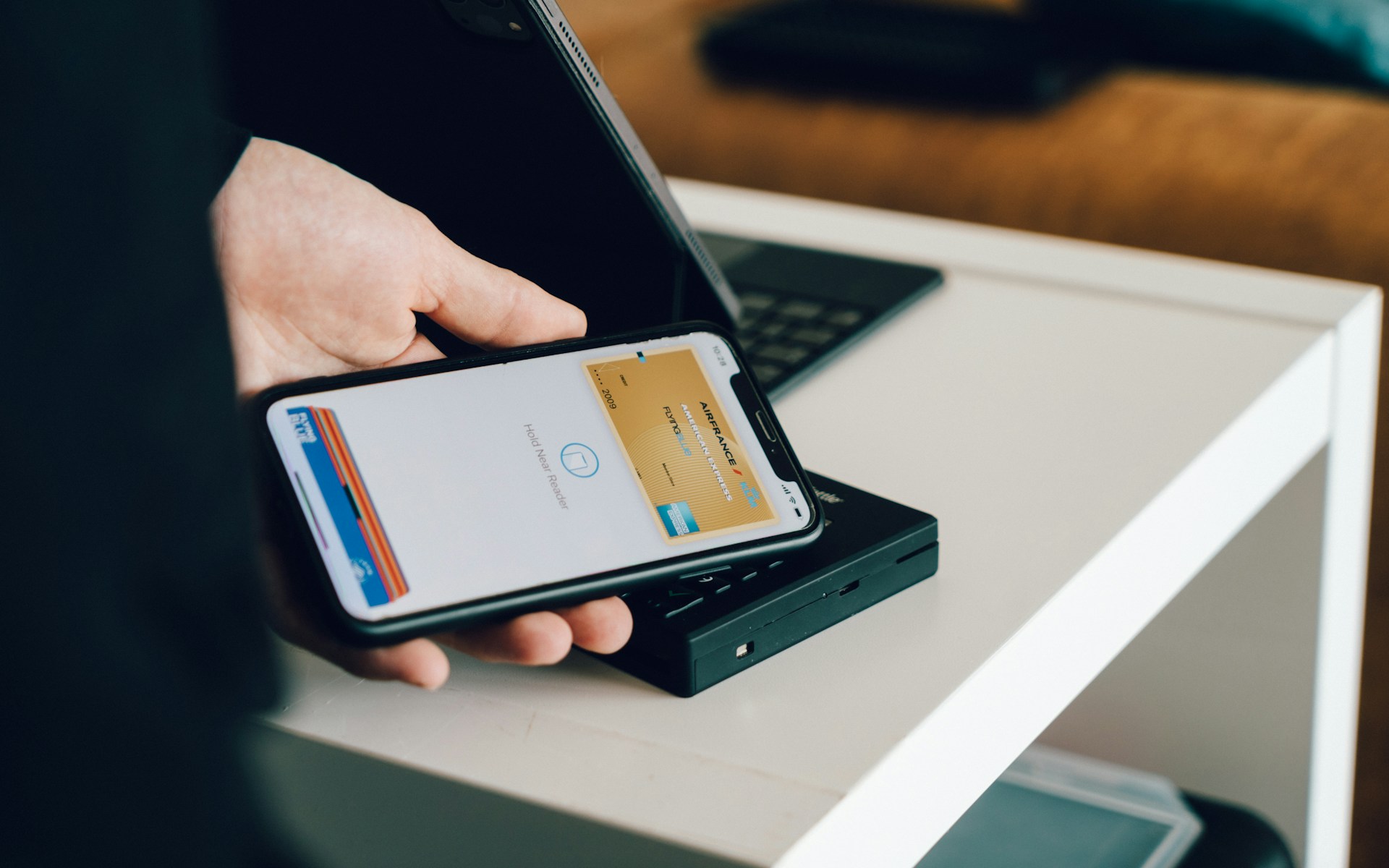 Image source : unsplash
Step 1: Download the Tangem App
Download the official Tangem app from the Apple App Store or Google Play Store. Ensure you’re downloading from Tangem’s official source to avoid counterfeit apps.
Step 2: Activate Your Wallet Card
Open the app and hold your Tangem card against the NFC reader on your phone. The app will guide you through the activation process, which includes creating a PIN and confirming your setup.
Step 3: Create a Backup
Tangem strongly recommends setting up a multi-card backup. If you ordered a set of two or three cards, scan the additional cards during setup to create a secure backup. This ensures you can recover access to your wallet even if one card is lost or damaged.
Once your wallet is activated and backed up, you’re ready to make your first purchase.
How to Buy Crypto Through Tangem: Step-by-Step
Tangem’s in-app purchasing functionality is powered by trusted third-party on-ramp providers, including Mercuryo, MoonPay, Simplex, and Unlimit. These services handle the fiat-to-crypto conversion, while Tangem delivers the purchased assets directly to your wallet.
Here’s the complete process:
Step 1: Open the Tangem App and Tap “Buy”
Launch the Tangem app on your mobile device and navigate to the main screen. Tap the Buy button to begin the purchasing flow.
Step 2: Select Your Cryptocurrency
Search for or scroll to the cryptocurrency you want to purchase. Tangem supports a wide range of assets, including Bitcoin (BTC), Ethereum (ETH), USDT, and many others. Choose the token that aligns with your investment goals.
Step 3: Confirm Your Country of Residence
Tangem will prompt you to confirm — or update — your country of residence. This step is important because provider availability and supported payment methods vary by region. Tap the flag icon if you need to change your currency.
Step 4: Enter the Amount
Enter the fiat amount you wish to spend. Tangem Express will automatically fetch competitive rates from the available providers. You can compare rates and select a different provider by tapping on the one displayed.
Step 5: Choose a Payment Method
Select your preferred payment method from the options available in your region. Tangem supports several convenient payment methods, including:
- Debit or credit card — fast and widely available
- Apple Pay — available on iOS devices
- Google Pay — available on Android devices
- Bank transfer — typically lower fees but slower processing
Step 6: Complete the Transaction
Follow the on-screen instructions from the selected provider to complete your purchase. You may be required to complete a one-time KYC (Know Your Customer) verification, which is standard for regulated fiat-to-crypto services.
Step 7: Receive Your Crypto
Once your payment is processed, the cryptocurrency is sent directly to your Tangem wallet address. Delivery is usually prompt, though it can occasionally take a few hours depending on the provider and network conditions. Check your app periodically to confirm receipt.
Supported Payment Methods and Providers at a Glance
| Provider | Payment Methods | Availability |
|---|---|---|
| Mercuryo | Card, bank transfer | Multiple regions; check their accepted currencies list |
| MoonPay | Card, Apple Pay, Google Pay | Wide global coverage |
| Simplex | Card, bank transfer | Broad international availability |
| Unlimit | Card, bank transfer | Select regions |
Fees vary by provider, payment method, cryptocurrency, and country of residence. Tangem Express automatically surfaces the best available rate, but you can manually compare options before confirming.
Alternative Method: Buy on an Exchange and Transfer to Tangem
If your preferred cryptocurrency isn’t supported by the in-app on-ramp providers, or if the Buy button is inactive for a specific token, there’s a reliable workaround.
- Purchase crypto on a centralized exchange (CEX) such as Coinbase, Binance, or Kraken using your preferred payment method.
- Copy your Tangem wallet address for the relevant token from inside the Tangem app.
- Initiate a withdrawal from the exchange to your Tangem wallet address — double-checking the address and the correct network before confirming.
This method gives you access to the full range of assets available on major exchanges while still achieving self-custody through Tangem.
Tips for Buying Crypto Safely Through Tangem
Getting started is straightforward, but a few best practices can help you avoid common mistakes:
Verify your wallet address. Before completing any transaction — whether through the in-app on-ramp or an external exchange — always double-check that funds are going to the correct address. Crypto transactions are irreversible.
Use secure internet connections. Avoid managing crypto transactions on public Wi-Fi. Use a private, trusted network when accessing your wallet or completing purchases.
Keep your Tangem cards secure. Store your backup cards in a safe location, separate from your primary card. Think of them the way you’d treat a spare key to a safe deposit box.
Monitor your balance. After completing a purchase, check the Tangem app to confirm the funds have arrived. If there’s an unexpected delay, contact the support team of the specific on-ramp provider used.
Watch for phishing. Always use the official Tangem app from verified app stores. Tangem will never ask for your PIN or card details via email or messaging apps.
Who Should Use Tangem to Buy Crypto?
Tangem’s direct purchasing model is particularly well-suited for:
- New crypto investors who want a simple, secure way to start without navigating multiple platforms
- Long-term holders (HODLers) who want hardware-grade security from the moment they buy
- Privacy-conscious users who prefer to minimize their footprint on centralized exchanges
- Anyone who has lost funds to exchange failures or hacks and wants to take full ownership of their assets going forward
If convenience and security are equally important to you, learning how to buy crypto through Tangem is a highly practical skillset to develop.
Frequently Asked Questions
Q1: Can I buy any cryptocurrency through the Tangem app?
Tangem supports a large and growing range of cryptocurrencies through its integrated on-ramp providers. However, availability depends on the specific token, your country of residence, and whether any of the providers (Mercuryo, MoonPay, Simplex, or Unlimit) support that asset. If the Buy button is greyed out for a token, it typically means the token isn’t supported by any available provider in your region. In that case, you can purchase the asset on a centralized exchange and transfer it to your Tangem wallet manually.
Q2: How long does it take for purchased crypto to appear in my Tangem Wallet?
In most cases, crypto purchased through the Tangem app arrives promptly — often within minutes of payment confirmation. However, delivery can occasionally take a few hours depending on the provider, network congestion, and your payment method. Bank transfers, for example, may take longer to process than card payments. Tangem recommends checking your wallet periodically after a purchase to confirm receipt.
Q3: What fees are involved when buying crypto through Tangem?
Fees are set by the third-party on-ramp providers — Mercuryo, MoonPay, Simplex, and Unlimit — not by Tangem itself. The exact fee depends on your payment method, the cryptocurrency being purchased, the fiat currency used, and your country of residence. Credit and debit card purchases tend to carry higher fees than bank transfers. Tangem Express surfaces competitive rates automatically, and you can compare providers before committing to a transaction.
Q4: Is it safe to buy crypto directly within the Tangem app?
Yes. Tangem’s in-app purchasing flow is designed with security as the foundation. Transactions are facilitated by regulated, well-established providers. Crucially, because your private keys are stored on your physical Tangem card and never exposed to the internet, the purchased crypto goes directly into genuine self-custody. There is no middleman holding your funds — once the transaction is complete, only you control the assets.
Q5: What should I do if I haven’t received my crypto after purchasing?
First, allow a few hours for the transaction to process, as delivery times can vary. If your crypto has still not arrived after a reasonable waiting period, contact the support team of the specific on-ramp provider you used — not Tangem directly, as Tangem does not control the transaction processing. Contact details are as follows: MoonPay support at support@moonpay.com, Simplex via online chat or support@simplex.com, and Unlimit via their support request page. Having your transaction ID or payment receipt on hand will speed up the resolution process.
Conclusion: The Smart Way to Enter — and Stay in — Crypto
The ability to buy crypto through Tangem directly within a self-custody hardware wallet environment represents a meaningful step forward for the industry. It removes one of the most common points of risk in crypto ownership — the gap between buying and securing your assets — and makes hardware-level security accessible to mainstream users.
Whether you’re making your first purchase or looking to streamline a more established crypto strategy, Tangem’s built-in purchasing flow offers a secure, intuitive, and efficient path forward.
Ready to take full ownership of your crypto? Download the Tangem app, set up your wallet, and make your first purchase with the confidence that your assets are protected from the moment you buy.
